Thursday, September 27, 2012

Thursday, March 15, 2012
Java NIO vs. IO
Main Differences of Java NIO and IO
The table below summarizes the main differences between Java NIO and IO. I will get into more detail about each difference in the sections following the table.
| IO | NIO |
| Stream oriented | Buffer oriented |
| Blocking IO | Non blocking IO |
| Selectors |
Stream Oriented vs. Buffer Oriented
The first big difference between Java NIO and IO is that IO is stream oriented, where NIO is buffer oriented. So, what does that mean?
Java IO being stream oriented means that you read one or more bytes at a time, from a stream. What you do with the read bytes is up to you. They are not cached anywhere. Furthermore, you cannot move forth and back in the data in a stream. If you need to move forth and back in the data read from a stream, you will need to cache it in a buffer first.
Java NIO's buffer oriented approach is slightly different. Data is read into a buffer from which it is later processed. You can move forth and back in the buffer as you need to. This gives you a bit more flexibility during processing. However, you also need to check if the buffer contains all the data you need in order to fully process it. And, you need to make sure that when reading more data into the buffer, you do not overwrite data in the buffer you have not yet processed.
Blocking vs. Non-blocking IO
Java IO's various streams are blocking. That means, that when a thread invokes a
read() orwrite(), that thread is blocked until there is some data to read, or the data is fully written. The thread can do nothing else in the meantime.
Java NIO's non-blocking mode enables a thread to request reading data from a channel, and only get what is currently available, or nothing at all, if no data is currently available. Rather than remain blocked until data becomes available for reading, the thread can go on with something else.
The same is true for non-blocking writing. A thread can request that some data be written to a channel, but not wait for it to be fully written. The thread can then go on and do something else in the mean time.
What threads spend their idle time on when not blocked in IO calls, is usually performing IO on other channels in the meantime. That is, a single thread can now manage multiple channels of input and output.
Selectors
Java NIO's selectors allow a single thread to monitor multiple channels of input. You can register multiple channels with a selector, then use a single thread to "select" the channels that have input available for processing, or select the channels that are ready for writing. This selector mechanism makes it easy for a single thread to manage multiple channels.
How NIO and IO Influences Application Design
Whether you choose NIO or IO as your IO toolkit may impact the following aspects of your application design:
- The API calls to the NIO or IO classes.
- The processing of data.
- The number of thread used to process the data.
The API Calls
Of course the API calls when using NIO look different than when using IO. This is no surprise. Rather than just read the data byte for byte from e.g. an
InputStream, the data must first be read into a buffer, and then be processed from there.The Processing of Data
The processing of the data is also affected when using a pure NIO design, vs. an IO design.
In an IO design you read the data byte for byte from an
InputStream or a Reader. Imagine you were processing a stream of line based textual data. For instance:Name: AnnaAge: 25nna@mailserver.com Phone:Email:a1234567890
This stream of text lines could be processed like this:
InputStream input = ... ; // get the InputStream from the client socketBufferedReader reader = new BufferedReader(new InputStreamReader(input));String nameLine = reader.readLine();String emailLine = reader.readLine();String ageLine = reader.readLine(); String phoneLine = reader.readLine();
Notice how the processing state is determined by how far the program has executed. In other words, once the first
reader.readLine() method returns, you know for sure that a full line of text has been read. The readLine() blocks until a full line is read, that's why. You also know that this line contains the name. Similarly, when the second readLine() call returns, you know that this line contains the age etc.
As you can see, the program progresses only when there is new data to read, and for each step you know what that data is. Once the executing thread have progressed past reading a certain piece of data in the code, the thread is not going backwards in the data (mostly not). This principle is also illustrated in this diagram:
 |
| Java IO: Reading data from a blocking stream. |
A NIO implementation would look different. Here is a simplified example:
ByteBuffer buffer = ByteBuffer.allocate(48);int bytesRead = inChannel.read(buffer);
Notice the second line which reads bytes from the channel into the
ByteBuffer. When that method call returns you don't know if all the data you need is inside the buffer. All you know is that the buffer contains some bytes. This makes processing somewhat harder.
Imagine if, after the first
read(buffer) call, that all what was read into the buffer was half a line. For instance, "Name: An". Can you process that data? Not really. You need to wait until at leas a full line of data has been into the buffer, before it makes sense to process any of the data at all.
So how do you know if the buffer contains enough data for it to make sense to be processed? Well, you don't. The only way to find out, is to look at the data in the buffer. The result is, that you may have to inspect the data in the buffer several times before you know if all the data is inthere. This is both inefficient, and can become messy in terms of program design. For instance:
ByteBuffer buffer = ByteBuffer.allocate(48);int bytesRead = inChannel.read(buffer);sRead = inChannel.read(buffer); }while(! bufferFull(bytesRead) ) { byte
The
bufferFull() method has to keep track of how much data is read into the buffer, and return either true or false, depending on whether the buffer is full. In other words, if the buffer is ready for processing, it is considered full.
The
bufferFull() method scans through the buffer, but must leave the buffer in the same state as before the bufferFull() method was called. If not, the next data read into the buffer might not be read in at the correct location. This is not impossible, but it is yet another issue to watch out for.
If the buffer is full, it can be processed. If it is not full, you might be able to partially process whatever data is there, if that makes sense in your particular case. In many cases it doesn't.
The is-data-in-buffer-ready loop is illustrated in this diagram:
 |
| Java NIO: Reading data from a channel until all needed data is in buffer. |
Summary
NIO allows you to manage multiple channels (network connections or files) using only a single (or few) threads, but the cost is that parsing the data might be somewhat more complicated than when reading data from a blocking stream.
If you need to manage thousands of open connections simultanously, which each only send a little data, for instance a chat server, implementing the server in NIO is probably an advantage. Similarly, if you need to keep a lot of open connections to other computers, e.g. in a P2P network, using a single thread to manage all of your outbound connections might be an advantage. This one thread, multiple connections design is illustrated in this diagram:
 |
| Java NIO: A single thread managing multiple connections. |
If you have fewer connections with very high bandwidth, sending a lot of data at a time, perhaps a classic IO server implementation might be the best fit. This diagram illustrates a classic IO server design:
 |
| Java IO: A classic IO server design - one connection handled by one thread. |
Wednesday, March 14, 2012
Tuesday, March 6, 2012
Introduction to JMS
What is JMS?
Java Message Service (JMS) API is a part of the Java Enterprise Edition (JEE) specification. JMS is all about sending and receiving messages between two or more clients. It is a specification that describes a method by which Java programs to create, send and receive messages.
JMS API enables communication that is loosely coupled and messaging that is asynchronous in nature.
| What is Messages? |
| A message has been described in various ways by different specification. However it is an entity of the communication. It is bytes of data that is meaningful between the applications which use it. Messages are used to transfer information from one application to other ones which may or may not run in same platforms. |
| What is Messaging? |
| Messaging is communication between system components or different applications (in a distributed environment) which are loosely coupled unlike its peers like TCP sockets, CORBA or RMI.Advantage of messaging: The advantages of messaging include the ability to integrate different platforms, reduce system bottlenecks, increase scalability and reliability of message delivery. |
Architecture:
A JMS Application consists of the following components:
JMS Provider: A messaging system that implements the JMS specification.

Messaging using MOM in JMS
In JMS Message Oriented Middleware (MOM) plays a vital role which differentiates messaging from its peers. MOM is a component that helps in message communication between two systems connected across network. MOM ensures asynchronous form of communication, supports reliable message delivery and transaction control. The Middleware creates a distributed communications layer that insulates the application developer from the details of the various operating system and network interfaces.
List of some of the MOM Service Providers:
| MOM Service Provider Products | Company |
| Weblogic | Oracle |
| MQSeries | IBM |
| JBOSSMQ | JBOSS |
| SoniqMQ | Progress |
| TIBCO EMS | TIBCO |
| ActiveMQ | Apache |
JMS clients: Java applications that produce or receive messages.
- JMS Producer / Publisher: A JMS client that creates and sends messages.
- JMS Consumer/ Subscriber: A JMS client that receives messages.
Messages: Objects that are used to communicate information between JMS clients.
Administered objects: Pre-configured JMS objects that are created by an administrator for the use of JMS clients. These objects are isolated from the proprietary technology providers. This helps in JMS client’s portability.
Types of Messaging model:

Types of messaging domain model
As we discussed earlier a JMS application will have one or more JMS clients that exchange message asynchronously with the help of MOM.
There are two types of messaging model in JMS:

Point to Point Messaging in JMS
a) Point to Point (PTP): In the PTP diagram the point-to-point (PTP) domain or application has three primary components like message queues, senders, and receivers. Each message is addressed to a specific queue, and receiving clients extract messages from the queues established to hold their messages. Queues retain all messages sent to them until the messages are consumed or until the messages timeouts.

Pub/Sub Messaging Model
b) Publisher/ Subscriber (Pub/Sub): In the Pub/Sub diagram clients address messages to a topic. Publishers and subscribers are generally anonymous and can dynamically publish or subscribe to the content hierarchy. Topics retain messages only as long as it takes to distribute them to current subscribers.
| Point to Point | Publisher/ Subscriber |
| Each message has only one consumer | Each message can have multiple consumers. |
| Messages are first sent to the destination named Queue. | Messages are first published in the destination called Topic. |
| A sender and a receiver of a message have no timing dependencies. The receiver can fetch the message whether or not it was running when the client sent the message. | Publishers and subscribers have a timing dependency. A client that subscribes to a topic can consume only messages published after the client has created a subscription, and the subscriber must continue to be active in order for it to consume messages. |
| The receiver acknowledges the successful processing of a message. | Does not provide acknowledgement |
Typical use of JMS in enterprise solutions:
a)JMS is useful where there might be requirement for pushing data to the consumers e.g. Bulletin board, News updates, Stock quotes, Auction websites etc.
b)Today the whole world is al about collaboration. Businesses and applications can interact with each other via messaging as JMS will allow them to integrate with each other without tight coupling.
Friday, December 30, 2011
Java EE 6 Application Servers
The benchmark
Same disclaimer as last time : This is not a real benchmark ! so I’ll copy paste the paragraph I wrote last time :
In this test I’m just concerned about the usability of an application server for a developer. The idea is to download it, install it, start it and take some measurements : size of download, ease of installation, size of disk, startup time, size of RAM... That’s all. No deployment of an application, no fancy twists to gain performance… Because some of these application servers are resource consuming, I’m doing all my tests on a Windows XP SP3 virtual machine (running on Virtual Box 4.1). It is a fresh install of Windows XP sp3 with 1Gb of RAM and not too many software installed. So when I boot there are 27 processes running and using 230 Mb of RAM (leaving 770 Mb free). Virtualizing can be slower, so keep in mind that startup time can be a bit faster that what I’m giving you here. I use JDK 1.6.0_27 (when it’s not bundled with the server). No optimization at all is made (I haven’t twisted the JVM, or antyhing application server parameter, everything comes out of the box).
To calculate the startup time, I don’t do any fancy rocket science either. I just start the server a few times, check how long it takes and use the best startup time. Also remember that some servers do not load any container at startup, making them very fast to start. That’s why I first trigger the web admin console (when there’s one) so I’m sure at least one web application is deployed (I did a print screen of the admin console when there’s one). Then I just stop and start the server a few times and get the best startup time (by reading the logs). To calculate the memory footprint, I just use the Windows task manager and check the size of the java.exe process.
Which application servers ?
If you look at the Java EE Compatibility page at Oracle, you’ll see that there are a bunch of application servers that actually have passed the Java E E6 TCK (Oracle GlassFish Server 3.1.1, Caucho Resin 4.0.17, JBoss Application Server 7, Apache TomEE 1.0.0-beta-1, TMAX JEUS 7, IBM WebSphere Application Server 8.0, Fujitsu Interstage Application Server) and some still haven’t (Geronimo 3, JOnAS 5.3, Siwpas). On this list some application servers implement the full Java EE 6 and others just implement the Web Profile 1.0.
GlassFish 3.1.1

GlassFish 3 is the open source reference implementation for Java EE 6. The 3.1 release has added clustering capabilities. Being the reference implementation, GlassFish 3.x implements both Java EE 6 and the Web Profile 1.0, that’s why you have two different bundles you can download (one of 80.6 Mb and the other 45.8 Mb).
| Version | 3.1.1 |
| What do you get ? | Java EE 6 & Web Profile 1.0 |
| Who is behind? | Oracle |
| Open source? | Dual license CDDL and GPL |
| Documentation | Documentation |
| Download | Zipfile, executables |
| Size of the downloaded file | 80.6 Mb (Java EE 6) 45.8 Mb (Web Profile) |
| Installation mode | Unzip or exe |
| Size once installed on drive | 96.1 Mb (Java EE 6) 57.8 Mb (Web Profile) |
| How to start it | Execute %GLASSFISH_HOME%\bin\asadmin start-domain |
| Location of log files | %GLASSFISH_HOME%\domains\domain1\logs |
| Best startup time | 2 953ms (Java EE 6) 1 914ms (Web Profile) |
| Size of the process in RAM at startup | 83 MB (Java EE 6) 69 MB (Web Profile) |
| Welcome page | http://localhost:8080/ |
| Admin console | http://localhost:4848 |
Resin 4.0.23

Resin 4 was one of the first web server (such as Jetty or Tomcat) to move to the Web Profile 1.0. For me it’s the success story that confirmed that profiles in Java EE were needed. It’s really difficult to go from a Web Server to a full Java EE 6 application server (remember that there’s still Entity CMPs in EE 6) but much easier to implement the Web Profile. Resin is very CDI centric and based on the Caucho implementation called CanDI.
| Version | 4.0.23 |
| What do you get ? | Web Profile 1.0 |
| Who is behind? | Caucho |
| Open source? | GPL License |
| Documentation | Documentation |
| Download | Zip, tgz, deb |
| Size of the downloaded file | 24.2 Mb |
| Installation mode | Unzip the file |
| Size once installed on drive | 32 Mb |
| How to start it | Execute %RESIN_HOME%\java -jar lib/resin.jar start |
| Location of log files | %RESIN_HOME%\log |
| Best startup time | 1 845ms |
| Size of the process in RAM at startup | 2 processes : 68.5 MB + 39 MB |
| Welcome page | http://localhost:8080/ |
| Admin console | http://localhost:8080/resin-admin/ |
JBoss 7.0.2-Final

It looks like JBoss 7 is, finally, a nice millésime. For those of you who waited so long for JBoss 5 to get certified and then didn’t see any JBoss 6, JBoss 7 is what you need with a fantastic startup time compared to the older versions (in my previous benchmardJBoss 5 was the slowest app servers, slower than WebSphere 7). Another novelty is an admin console (sexier than the good old JMX Console).
| Version | 7.0.2-Final |
| What do you get ? | Web Profile 1.0 |
| Who is behind? | JBoss/RedHat |
| Open source? | LGPL |
| Documentation | Documentation |
| Download | Zipfile |
| Size of the downloaded file | 70.7 Mb |
| Installation mode | Unzip |
| Size once installed on drive | 77.9 Mb |
| How to start it | Execute %JBOSS_HOME%\bin\standalone |
| Location of log files | %JBOSS_HOME%\standalone\log |
| Best startup time | 2 782ms |
| Size of the process in RAM at startup | 70.7 MB |
| Welcome page | http://localhost:8080/ |
| JMX console | http://localhost:9990/console |
TomEE 1.0.0-beta-1

Like Resin, Apache TomEEis the perfect success story for the Web Profile. TomEE is no more than Tomcat + OpenWebBeans + OpenEJB + OpenJPA + MyFaces + other bits. It really shows that Java EE is a jigsaw puzzle where you can take open standards, bundle them together and become a certified Web Profile application server.
| Version | 1.0.0-beta-1 |
| What do you get ? | Web Profile 1.0 |
| Who is behind? | Apache |
| Open source? | Apache Software License |
| Documentation | Documentation |
| Download | Zip, tar.gz |
| Size of the downloaded file | 24.2 Mb |
| Installation mode | Unzip the file |
| Size once installed on drive | 29.2 Mb |
| How to start it | Execute %TOMEE_HOME%\bin\startup.bat |
| Location of log files | %TOMEE_HOME%\logs |
| Best startup time | 3 288ms |
| Size of the process in RAM at startup | 65 MB |
| Welcome page | http://localhost:8080/ |
| Admin console (*) | http://localhost:8080/manager/html |
(*) Looks like to be able to log on to the admin console, you need to change the %TOMCAT_HOME%\conf\tomcat-users.xml configuration files and add a manager-script role to a user. But I couldn’t make it work.
Geronimo v3.0-M1

Geronimo is not already Java EE 6 ceritified (still in Miletone 1). Geronimo comes in 2 flavours, one with Jetty the other one with Tomcat. And like TomEE, Geronimo bundles several open source implementationsof Java EE.
| Version | 3.0-M1 |
| What do you get ? | Not yet certified |
| Who is behind? | Apache |
| Open source? | Apache Software License |
| Documentation | Documentation |
| Download | Zip, tar |
| Size of the downloaded file | 66.9 Mb (Geronimo + Tomcat) |
| Installation mode | Unzip the file |
| Size once installed on drive | 76.4 Mb |
| How to start it | %GERONIMO_HOME%\bin\geronimo start |
| Location of log files | %GERONIMO_HOME%\var\log |
| Best startup time | 12 467ms |
| Size of the process in RAM at startup | 159 Mb |
| Welcome page | http://localhost:8080/ |
| Admin console (*) | http://localhost:8080/console-base |
(*) user/pwd : system/manager
JOnAS 5.3.0-M4
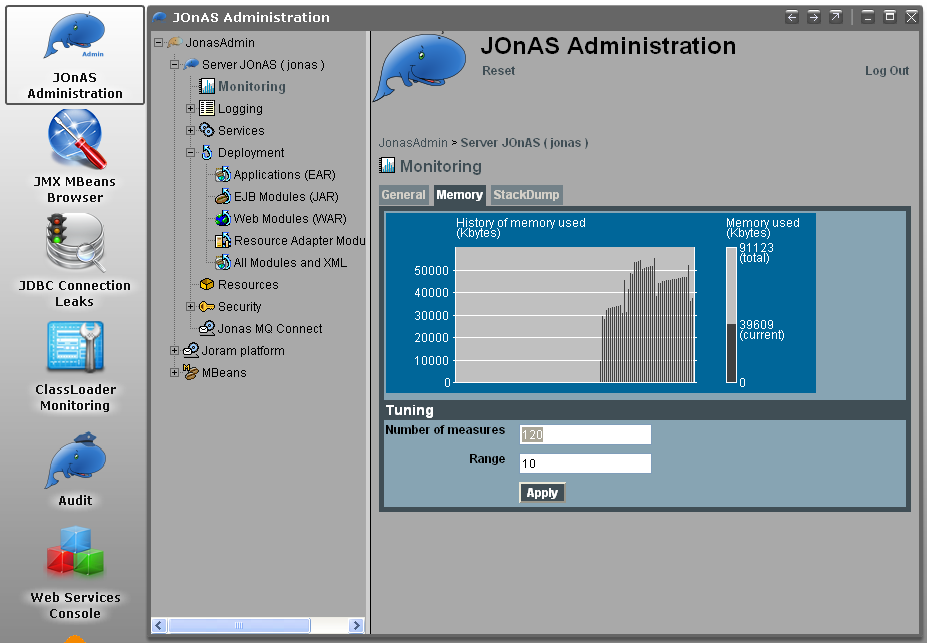
JOnASis till not Java EE 6 certified. It provides a full Java EE 5 execution stack plus some Java EE 6 previews (JPA 2.0, CDI, …), supporting EJB3 (and not EJB 3.1 yet).
| Version | 5.3.0-M4 |
| What do you get ? | Not yet certified |
| Who is behind? | OW2 |
| Open source? | LGPL |
| Documentation | Documentation |
| Download | Zip, tar.gz |
| Size of the downloaded file | 211 Mb |
| Installation mode | Unzip the file |
| Size once installed on drive | 231 Mb |
| How to start it | %JONAS_HOME%\bin\jonas start |
| Location of log files | %JONAS_HOME%\logs |
| Best startup time | 11 036ms |
| Size of the process in RAM at startup | 107 Mb |
| Welcome page | http://localhost:9000/ |
| Admin console (*) | http://localhost:9000/jonasAdmin |
(*) user/pwd : jonas/jonas
Siwpas Enterprise 2.0.0-GA

Siwpas (Simple Web Profile Application Server) is quite new compared to the good old application servers. But like most of them, it embeds well known open source stacks, most from Apache (Tomcat, OpenEJB, OpenWebBeans, MyFaces, OpenJPA, Apache BeanValidation). It’s open source but you’ll still need a 30 days trial license to startup the enterprise version of the server.
| Version | 2.0.0-GA |
| What do you get ? | Web Profile 1.0 (Not yet certified) |
| Who is behind? | Mechsoft |
| Open source? | |
| Documentation | Documentation |
| Download | Zip, exe, tar.gz |
| Size of the downloaded file | 34.2 Mb |
| Installation mode | Unzip the file |
| Size once installed on drive | 38.2 Mb |
| How to start it | %SIWPAS_HOME%\bin\startup |
| Location of log files | %SIWPAS_HOME%\logs |
| Best startup time | 8 598ms |
| Size of the process in RAM at startup | 72.8 Mb |
| Welcome page | http://localhost:8080/ |
| Admin console (*) | http://localhost:8080/console |
(*) user/pwd : admin/admin
Websphere 8.0.0.1

Websphere 8 is the Java EE 6 application server of IBM. Like the previous versions, you need a big bandwith to download one gigabyte of modules that get installed in nearly 2 hours. I noticed that there is a developer edition but once installed it looks like the 2.2 Gb of the full server (I might got lost in the maze of the IBM website). There is also a Community Edition and it looks like it’s based on Geronimo (and the executable to install it is also 116 Mb). IBM, please, make it simple.
Thanks to @sebsto I found a gem : it looks like IBM is working on a version WAS 8.5 Alpha that would look like the other app servers (light and easy to install). I’ll stay tuned on this one.
| Version | 8 |
| What do you get ? | Java EE 6 |
| Who is behind? | IBM |
| Open source? | Commercial product |
| Documentation | Documentation |
| Download | Exe file for WAS & WAS for developers |
| Size of the downloaded file | 116 Mb |
| Installation mode | Execute + Wizard install (with all the defaults) which downloads more stuff (took nearly 1:40 hour) |
| Size once installed on drive | 2.2 Gb |
| How to start it | Execute %WEBSPHERE_HOME%\AppServer\profiles\AppSrv01\bin\startServer.bat server1 -profileName AppSrv01 |
| Location of log files | %WEBSPHERE_HOME%\AppServer\profiles\AppSrv01\logs\server1 |
| Best startup time | 42 s |
| Size of the process in RAM at startup | 155 Mb |
| Admin console | https://localhost:9043/ibm/console |
Jeus 7
A bit unknown but in version 7.0 (so it shows this application server has been around for long time), Jeus 7from TMaxSoft was a bit difficult to startup (create an account on the web site, download, install, run a wizard and read the README.txt to make it started). Then I discovered that there is no Jeus 7 for Windows so I downloaded the Linux version and installed it on Ubuntu (so the results of the microbenchmark are not very accurate compare to the other made on Windows).
| Version | 7 |
| What do you get ? | Java EE 6 |
| Who is behind? | TmaxSoft |
| Open source? | Commercial |
| Documentation | Documentation |
| Download | bin file (only available on Linux) |
| Size of the downloaded file | 126 Mb |
| Installation mode | Execute the file and answer a wizard |
| Size once installed on drive | 198 Mb |
| How to start it | Execute $JEUS_HOME/bin/jeus -u administrator -p <pwd you declared in the wizard> |
| Location of log files | $JEUS_HOME/domains/jeus-domain1/logs |
| Best startup time | 23 783ms (but again that was on Ubuntu, not in Windows) |
| Size of the process in RAM at startup | 147 Mb |
| Welcome page | http://localhost:8088/ (but looks like there’s no page) |
| Admin console | Not sure there’s a admin console, but jeusadmin tool helps you to manage the server |
Interstage
I couldn’t even find where to click and download the server, so if anybody knows, I’ll be ready to give it a try.
Where the hell is Tomcat ?
Tomcat 7 is not a Java EE 6 application server nor does it implement the Web Profile 1.0. It is just a Servlet 3.0 container, so it’s shouldn’t appear in this blog post. But, everybody likes Tomcat, everybody feels Tomcat is way much faster than any server on earth (even faster than Neutrinos or maybe not). So I had to put it in this benchmark just to be a source of comparaison. And, indeed, Tomcat is the fastest application server of the list (3 times faster than GlassFish or 4 times faster than JBoss). But it only does Servlet 3 while the others implement between 12 (Web Profile) or 28 (Java EE 6) specifications.
| Version | 7.0.22 |
| What do you get ? | Servlet 3 |
| Who is behind? | Apache |
| Open source? | Apache Software License |
| Documentation | Documentation Index |
| Download | Zip, tar.gz |
| Size of the downloaded file | 7.5 Mb |
| Installation mode | Unzip the file |
| Size once installed on drive | 11.3 Mb |
| How to start it | Execute %TOMCAT_HOME%\bin\startup.bat |
| Location of log files | %TOMCAT_HOME%\logs |
| Best startup time | 694 ms |
| Size of the process in RAM at startup | 34.6 Mb |
| Welcome page | http://localhost:8080/ |
| Admin console | http://localhost:8080/manager/html |
Summary
As a summary I will show you two graphs with startup time and resource consumption so it’s easier to compare.
Startup time
When you are a developer, startup up time matters (it doesn’t when you are in production). Thanks to tools like JRebel or the hot deployment of our IDEs, we tend to restart our app servers less and less. But, sometimes it happens (PermGens, classpath mess up, memory leaks, refreshing app server cache…). I didn’t put WAS 8 nor Jeus 7 in the graph below because they would just break the scale (42 and 23 seconds). It’s interesting to notice that 4 app servers (Resin, GlassFish, JBoss and TomEE) start in less that 5 seconds (Jonas & Geronimo are still in Milestone). Resin is 3 times slower than Tomcat, but again, it comes with the Web Profile.

Size once installed on the drive & size of process in RAM
The size of the application installed on your disk is not very accurate : some app servers come with documentation, samples… others no. But still, that gives you an overview of how big an app server can be (again, I couldn’t put WAS in this diagram as it will break the scale with its 2.2 Gb). The memory consumption is more interesting. Without any JVM or server twists, when you startup, they nearly all take less that 100Mb of RAM(see how close TomEE, GlassFish, JBoss and Siwpas are).

Conclusion
First of all, as you can see there is no Weblogic. Unfortunatelly Weblogic is the last big player to be certified Java EE 6. I don’t know the roadmap, hopefully I’ll soon be able to update this blog entry with the latest version of Weblogic. Second, this is not a real benchmark : I didn’t deploy any application nor I did some stress tests. One task I would like to do is to deploy a Java EE 6 application on all these servers and see how portable the code is. But that’s for another blog.
What did I want to show in this blog ? Well, that application servers have changed. Except for WAS, Weblogic or Jeus, all the others are fast at startup and take few resources (memory).
And why did I want to show this ? Because I’m fed up to still hear in 2011 : “Tomcat is light, Java EE app servers are not”. As you can see, in terms of startup and memory, the gap between Tomcat and Resin, GlassFish or JBoss is really small.
How is it going to affect your development life ? Do you remember when 7/8 years ago we had to mock our database accesses because we didn’t want to install a fat oracle database on our laptop ? These days are over now because we use in-memory databases such as H2 orDerby. Same thing is happening with application servers : soon app servers will be running in memory and we won’t be mocking anything. We will fire a test case, app servers and databases in memory, and that’s it. And with tools like Arquilian, it looks like this future is already happening.
Long live Java EE 6 and Java EE 6 application servers !
Subscribe to:
Comments (Atom)