The benchmark
Same disclaimer as last time : This is not a real benchmark ! so I’ll copy paste the paragraph I wrote last time :
In this test I’m just concerned about the usability of an application server for a developer. The idea is to download it, install it, start it and take some measurements : size of download, ease of installation, size of disk, startup time, size of RAM... That’s all. No deployment of an application, no fancy twists to gain performance… Because some of these application servers are resource consuming, I’m doing all my tests on a Windows XP SP3 virtual machine (running on Virtual Box 4.1). It is a fresh install of Windows XP sp3 with 1Gb of RAM and not too many software installed. So when I boot there are 27 processes running and using 230 Mb of RAM (leaving 770 Mb free). Virtualizing can be slower, so keep in mind that startup time can be a bit faster that what I’m giving you here. I use JDK 1.6.0_27 (when it’s not bundled with the server). No optimization at all is made (I haven’t twisted the JVM, or antyhing application server parameter, everything comes out of the box).
To calculate the startup time, I don’t do any fancy rocket science either. I just start the server a few times, check how long it takes and use the best startup time. Also remember that some servers do not load any container at startup, making them very fast to start. That’s why I first trigger the web admin console (when there’s one) so I’m sure at least one web application is deployed (I did a print screen of the admin console when there’s one). Then I just stop and start the server a few times and get the best startup time (by reading the logs). To calculate the memory footprint, I just use the Windows task manager and check the size of the java.exe process.
Which application servers ?
If you look at the Java EE Compatibility page at Oracle, you’ll see that there are a bunch of application servers that actually have passed the Java E E6 TCK (Oracle GlassFish Server 3.1.1, Caucho Resin 4.0.17, JBoss Application Server 7, Apache TomEE 1.0.0-beta-1, TMAX JEUS 7, IBM WebSphere Application Server 8.0, Fujitsu Interstage Application Server) and some still haven’t (Geronimo 3, JOnAS 5.3, Siwpas). On this list some application servers implement the full Java EE 6 and others just implement the Web Profile 1.0.
GlassFish 3.1.1

GlassFish 3 is the open source reference implementation for Java EE 6. The 3.1 release has added clustering capabilities. Being the reference implementation, GlassFish 3.x implements both Java EE 6 and the Web Profile 1.0, that’s why you have two different bundles you can download (one of 80.6 Mb and the other 45.8 Mb).
| Version | 3.1.1 |
| What do you get ? | Java EE 6 & Web Profile 1.0 |
| Who is behind? | Oracle |
| Open source? | Dual license CDDL and GPL |
| Documentation | Documentation |
| Download | Zipfile, executables |
| Size of the downloaded file | 80.6 Mb (Java EE 6) 45.8 Mb (Web Profile) |
| Installation mode | Unzip or exe |
| Size once installed on drive | 96.1 Mb (Java EE 6) 57.8 Mb (Web Profile) |
| How to start it | Execute %GLASSFISH_HOME%\bin\asadmin start-domain |
| Location of log files | %GLASSFISH_HOME%\domains\domain1\logs |
| Best startup time | 2 953ms (Java EE 6) 1 914ms (Web Profile) |
| Size of the process in RAM at startup | 83 MB (Java EE 6) 69 MB (Web Profile) |
| Welcome page | http://localhost:8080/ |
| Admin console | http://localhost:4848 |
Resin 4.0.23

Resin 4 was one of the first web server (such as Jetty or Tomcat) to move to the Web Profile 1.0. For me it’s the success story that confirmed that profiles in Java EE were needed. It’s really difficult to go from a Web Server to a full Java EE 6 application server (remember that there’s still Entity CMPs in EE 6) but much easier to implement the Web Profile. Resin is very CDI centric and based on the Caucho implementation called CanDI.
| Version | 4.0.23 |
| What do you get ? | Web Profile 1.0 |
| Who is behind? | Caucho |
| Open source? | GPL License |
| Documentation | Documentation |
| Download | Zip, tgz, deb |
| Size of the downloaded file | 24.2 Mb |
| Installation mode | Unzip the file |
| Size once installed on drive | 32 Mb |
| How to start it | Execute %RESIN_HOME%\java -jar lib/resin.jar start |
| Location of log files | %RESIN_HOME%\log |
| Best startup time | 1 845ms |
| Size of the process in RAM at startup | 2 processes : 68.5 MB + 39 MB |
| Welcome page | http://localhost:8080/ |
| Admin console | http://localhost:8080/resin-admin/ |
JBoss 7.0.2-Final

It looks like JBoss 7 is, finally, a nice millésime. For those of you who waited so long for JBoss 5 to get certified and then didn’t see any JBoss 6, JBoss 7 is what you need with a fantastic startup time compared to the older versions (in my previous benchmardJBoss 5 was the slowest app servers, slower than WebSphere 7). Another novelty is an admin console (sexier than the good old JMX Console).
| Version | 7.0.2-Final |
| What do you get ? | Web Profile 1.0 |
| Who is behind? | JBoss/RedHat |
| Open source? | LGPL |
| Documentation | Documentation |
| Download | Zipfile |
| Size of the downloaded file | 70.7 Mb |
| Installation mode | Unzip |
| Size once installed on drive | 77.9 Mb |
| How to start it | Execute %JBOSS_HOME%\bin\standalone |
| Location of log files | %JBOSS_HOME%\standalone\log |
| Best startup time | 2 782ms |
| Size of the process in RAM at startup | 70.7 MB |
| Welcome page | http://localhost:8080/ |
| JMX console | http://localhost:9990/console |
TomEE 1.0.0-beta-1

Like Resin, Apache TomEEis the perfect success story for the Web Profile. TomEE is no more than Tomcat + OpenWebBeans + OpenEJB + OpenJPA + MyFaces + other bits. It really shows that Java EE is a jigsaw puzzle where you can take open standards, bundle them together and become a certified Web Profile application server.
| Version | 1.0.0-beta-1 |
| What do you get ? | Web Profile 1.0 |
| Who is behind? | Apache |
| Open source? | Apache Software License |
| Documentation | Documentation |
| Download | Zip, tar.gz |
| Size of the downloaded file | 24.2 Mb |
| Installation mode | Unzip the file |
| Size once installed on drive | 29.2 Mb |
| How to start it | Execute %TOMEE_HOME%\bin\startup.bat |
| Location of log files | %TOMEE_HOME%\logs |
| Best startup time | 3 288ms |
| Size of the process in RAM at startup | 65 MB |
| Welcome page | http://localhost:8080/ |
| Admin console (*) | http://localhost:8080/manager/html |
(*) Looks like to be able to log on to the admin console, you need to change the %TOMCAT_HOME%\conf\tomcat-users.xml configuration files and add a manager-script role to a user. But I couldn’t make it work.
Geronimo v3.0-M1

Geronimo is not already Java EE 6 ceritified (still in Miletone 1). Geronimo comes in 2 flavours, one with Jetty the other one with Tomcat. And like TomEE, Geronimo bundles several open source implementationsof Java EE.
| Version | 3.0-M1 |
| What do you get ? | Not yet certified |
| Who is behind? | Apache |
| Open source? | Apache Software License |
| Documentation | Documentation |
| Download | Zip, tar |
| Size of the downloaded file | 66.9 Mb (Geronimo + Tomcat) |
| Installation mode | Unzip the file |
| Size once installed on drive | 76.4 Mb |
| How to start it | %GERONIMO_HOME%\bin\geronimo start |
| Location of log files | %GERONIMO_HOME%\var\log |
| Best startup time | 12 467ms |
| Size of the process in RAM at startup | 159 Mb |
| Welcome page | http://localhost:8080/ |
| Admin console (*) | http://localhost:8080/console-base |
(*) user/pwd : system/manager
JOnAS 5.3.0-M4
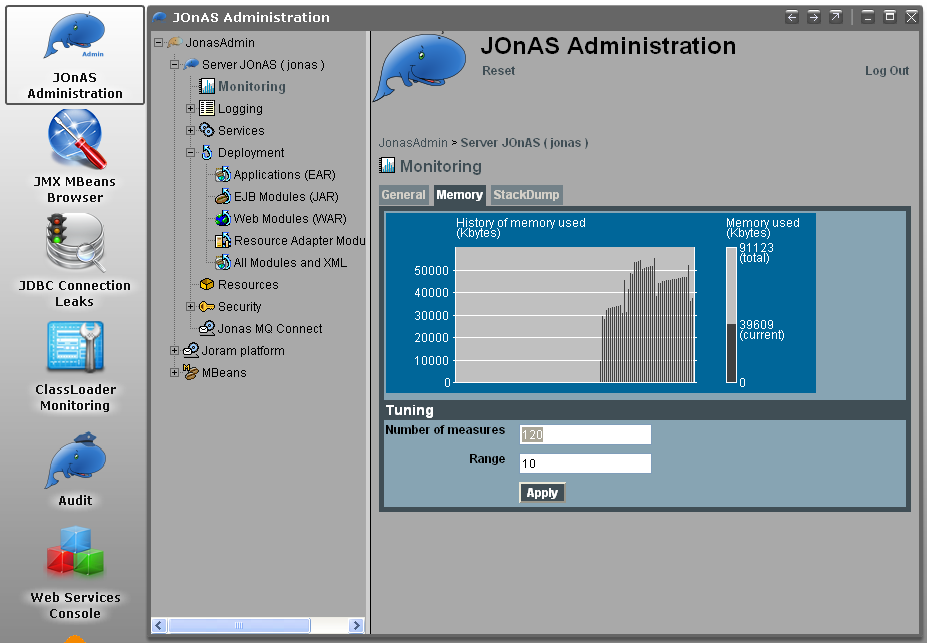
JOnASis till not Java EE 6 certified. It provides a full Java EE 5 execution stack plus some Java EE 6 previews (JPA 2.0, CDI, …), supporting EJB3 (and not EJB 3.1 yet).
| Version | 5.3.0-M4 |
| What do you get ? | Not yet certified |
| Who is behind? | OW2 |
| Open source? | LGPL |
| Documentation | Documentation |
| Download | Zip, tar.gz |
| Size of the downloaded file | 211 Mb |
| Installation mode | Unzip the file |
| Size once installed on drive | 231 Mb |
| How to start it | %JONAS_HOME%\bin\jonas start |
| Location of log files | %JONAS_HOME%\logs |
| Best startup time | 11 036ms |
| Size of the process in RAM at startup | 107 Mb |
| Welcome page | http://localhost:9000/ |
| Admin console (*) | http://localhost:9000/jonasAdmin |
(*) user/pwd : jonas/jonas
Siwpas Enterprise 2.0.0-GA

Siwpas (Simple Web Profile Application Server) is quite new compared to the good old application servers. But like most of them, it embeds well known open source stacks, most from Apache (Tomcat, OpenEJB, OpenWebBeans, MyFaces, OpenJPA, Apache BeanValidation). It’s open source but you’ll still need a 30 days trial license to startup the enterprise version of the server.
| Version | 2.0.0-GA |
| What do you get ? | Web Profile 1.0 (Not yet certified) |
| Who is behind? | Mechsoft |
| Open source? | |
| Documentation | Documentation |
| Download | Zip, exe, tar.gz |
| Size of the downloaded file | 34.2 Mb |
| Installation mode | Unzip the file |
| Size once installed on drive | 38.2 Mb |
| How to start it | %SIWPAS_HOME%\bin\startup |
| Location of log files | %SIWPAS_HOME%\logs |
| Best startup time | 8 598ms |
| Size of the process in RAM at startup | 72.8 Mb |
| Welcome page | http://localhost:8080/ |
| Admin console (*) | http://localhost:8080/console |
(*) user/pwd : admin/admin
Websphere 8.0.0.1

Websphere 8 is the Java EE 6 application server of IBM. Like the previous versions, you need a big bandwith to download one gigabyte of modules that get installed in nearly 2 hours. I noticed that there is a developer edition but once installed it looks like the 2.2 Gb of the full server (I might got lost in the maze of the IBM website). There is also a Community Edition and it looks like it’s based on Geronimo (and the executable to install it is also 116 Mb). IBM, please, make it simple.
Thanks to @sebsto I found a gem : it looks like IBM is working on a version WAS 8.5 Alpha that would look like the other app servers (light and easy to install). I’ll stay tuned on this one.
| Version | 8 |
| What do you get ? | Java EE 6 |
| Who is behind? | IBM |
| Open source? | Commercial product |
| Documentation | Documentation |
| Download | Exe file for WAS & WAS for developers |
| Size of the downloaded file | 116 Mb |
| Installation mode | Execute + Wizard install (with all the defaults) which downloads more stuff (took nearly 1:40 hour) |
| Size once installed on drive | 2.2 Gb |
| How to start it | Execute %WEBSPHERE_HOME%\AppServer\profiles\AppSrv01\bin\startServer.bat server1 -profileName AppSrv01 |
| Location of log files | %WEBSPHERE_HOME%\AppServer\profiles\AppSrv01\logs\server1 |
| Best startup time | 42 s |
| Size of the process in RAM at startup | 155 Mb |
| Admin console | https://localhost:9043/ibm/console |
Jeus 7
A bit unknown but in version 7.0 (so it shows this application server has been around for long time), Jeus 7from TMaxSoft was a bit difficult to startup (create an account on the web site, download, install, run a wizard and read the README.txt to make it started). Then I discovered that there is no Jeus 7 for Windows so I downloaded the Linux version and installed it on Ubuntu (so the results of the microbenchmark are not very accurate compare to the other made on Windows).
| Version | 7 |
| What do you get ? | Java EE 6 |
| Who is behind? | TmaxSoft |
| Open source? | Commercial |
| Documentation | Documentation |
| Download | bin file (only available on Linux) |
| Size of the downloaded file | 126 Mb |
| Installation mode | Execute the file and answer a wizard |
| Size once installed on drive | 198 Mb |
| How to start it | Execute $JEUS_HOME/bin/jeus -u administrator -p <pwd you declared in the wizard> |
| Location of log files | $JEUS_HOME/domains/jeus-domain1/logs |
| Best startup time | 23 783ms (but again that was on Ubuntu, not in Windows) |
| Size of the process in RAM at startup | 147 Mb |
| Welcome page | http://localhost:8088/ (but looks like there’s no page) |
| Admin console | Not sure there’s a admin console, but jeusadmin tool helps you to manage the server |
Interstage
I couldn’t even find where to click and download the server, so if anybody knows, I’ll be ready to give it a try.
Where the hell is Tomcat ?
Tomcat 7 is not a Java EE 6 application server nor does it implement the Web Profile 1.0. It is just a Servlet 3.0 container, so it’s shouldn’t appear in this blog post. But, everybody likes Tomcat, everybody feels Tomcat is way much faster than any server on earth (even faster than Neutrinos or maybe not). So I had to put it in this benchmark just to be a source of comparaison. And, indeed, Tomcat is the fastest application server of the list (3 times faster than GlassFish or 4 times faster than JBoss). But it only does Servlet 3 while the others implement between 12 (Web Profile) or 28 (Java EE 6) specifications.
| Version | 7.0.22 |
| What do you get ? | Servlet 3 |
| Who is behind? | Apache |
| Open source? | Apache Software License |
| Documentation | Documentation Index |
| Download | Zip, tar.gz |
| Size of the downloaded file | 7.5 Mb |
| Installation mode | Unzip the file |
| Size once installed on drive | 11.3 Mb |
| How to start it | Execute %TOMCAT_HOME%\bin\startup.bat |
| Location of log files | %TOMCAT_HOME%\logs |
| Best startup time | 694 ms |
| Size of the process in RAM at startup | 34.6 Mb |
| Welcome page | http://localhost:8080/ |
| Admin console | http://localhost:8080/manager/html |
Summary
As a summary I will show you two graphs with startup time and resource consumption so it’s easier to compare.
Startup time
When you are a developer, startup up time matters (it doesn’t when you are in production). Thanks to tools like JRebel or the hot deployment of our IDEs, we tend to restart our app servers less and less. But, sometimes it happens (PermGens, classpath mess up, memory leaks, refreshing app server cache…). I didn’t put WAS 8 nor Jeus 7 in the graph below because they would just break the scale (42 and 23 seconds). It’s interesting to notice that 4 app servers (Resin, GlassFish, JBoss and TomEE) start in less that 5 seconds (Jonas & Geronimo are still in Milestone). Resin is 3 times slower than Tomcat, but again, it comes with the Web Profile.

Size once installed on the drive & size of process in RAM
The size of the application installed on your disk is not very accurate : some app servers come with documentation, samples… others no. But still, that gives you an overview of how big an app server can be (again, I couldn’t put WAS in this diagram as it will break the scale with its 2.2 Gb). The memory consumption is more interesting. Without any JVM or server twists, when you startup, they nearly all take less that 100Mb of RAM(see how close TomEE, GlassFish, JBoss and Siwpas are).

Conclusion
First of all, as you can see there is no Weblogic. Unfortunatelly Weblogic is the last big player to be certified Java EE 6. I don’t know the roadmap, hopefully I’ll soon be able to update this blog entry with the latest version of Weblogic. Second, this is not a real benchmark : I didn’t deploy any application nor I did some stress tests. One task I would like to do is to deploy a Java EE 6 application on all these servers and see how portable the code is. But that’s for another blog.
What did I want to show in this blog ? Well, that application servers have changed. Except for WAS, Weblogic or Jeus, all the others are fast at startup and take few resources (memory).
And why did I want to show this ? Because I’m fed up to still hear in 2011 : “Tomcat is light, Java EE app servers are not”. As you can see, in terms of startup and memory, the gap between Tomcat and Resin, GlassFish or JBoss is really small.
How is it going to affect your development life ? Do you remember when 7/8 years ago we had to mock our database accesses because we didn’t want to install a fat oracle database on our laptop ? These days are over now because we use in-memory databases such as H2 orDerby. Same thing is happening with application servers : soon app servers will be running in memory and we won’t be mocking anything. We will fire a test case, app servers and databases in memory, and that’s it. And with tools like Arquilian, it looks like this future is already happening.
Long live Java EE 6 and Java EE 6 application servers !
